


Nomini mobile: browser play, features and what to check first
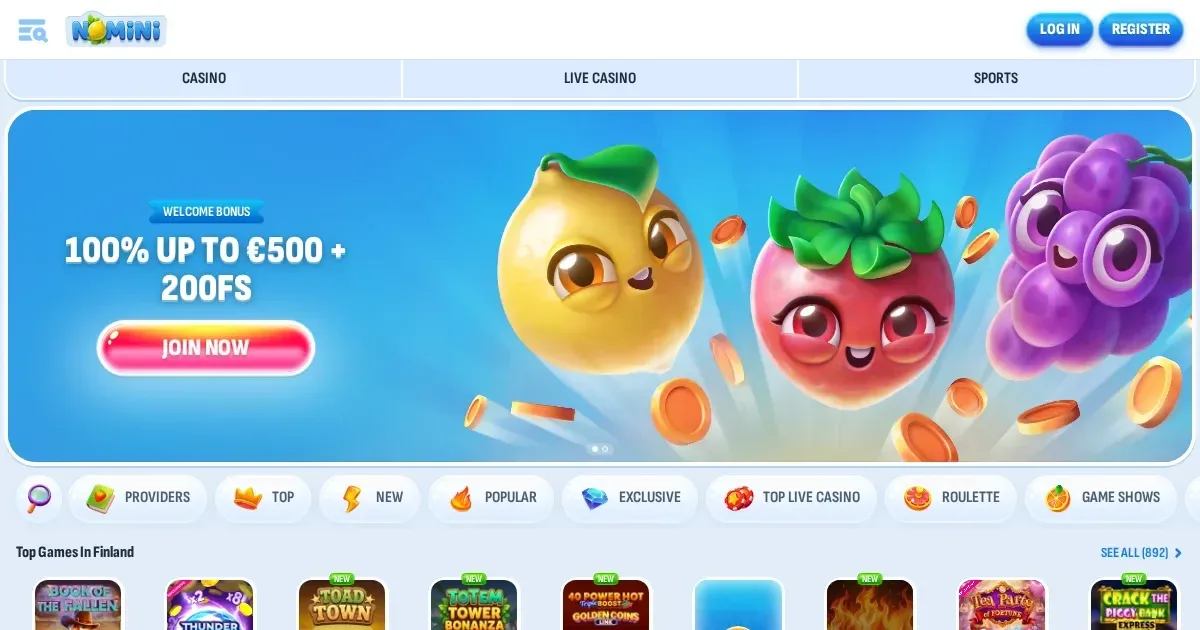
















Nomini runs entirely in mobile browsers on iOS and Android devices. No native app is published, so you reach the site by entering nominicasino.com.es into Safari, Chrome or your phone's default browser. The same account, password and balance work across desktop and mobile – nothing needs reinstalling or re-registering.
The honest answer on apps
We have no information confirming a dedicated iOS or Android application. Players access the platform through a mobile-optimised website that adapts to screen size. This means no app store download, no separate login, and no storage taken up on your device.
The mobile site loads the full game library, the cashier and account settings. What you lose is an icon on your home screen and the marginal speed gain of a native app – what you keep is simplicity and the ability to play from any device without an install.
The browser route in practice
Reaching the site from a phone takes three steps:
- Open your mobile browser and type nominicasino.com.es into the address bar.
- Log in with the same credentials you use on desktop – username and password, or whichever sign-in method you set up.
- Navigate to games, cashier or account from the mobile menu, usually a hamburger icon at the top left.
The login session persists until you sign out or clear your browser. If you share the device, always sign out manually before handing it over – a logged-in session gives full access to your account balance and withdrawal requests.
Browser play means you can switch between devices mid-session. Start a game on desktop, close the tab, open the site on your phone ten minutes later and the balance is current. The operator does not publish whether interrupted game rounds resume where you left off – check the provider's own rules if that matters to your play style.
Features that survive the small screen
The mobile site carries the same core functions as desktop:
- Game library: Over 10,000 casino games load on mobile, among them slots from varied providers, live dealer tables and video poker. The search and filter tools work, though scrolling through 1,300+ titles on a phone takes patience.
- Cashier: Deposits and withdrawals process the same way. Minimum deposit and withdrawal figures, processing times and the x1 rollover before a payout all apply identically. The financial department still works 6 AM to 5 PM GMT, Monday to Friday, regardless of which device you request from.
- Account verification: You can upload identity documents, proof of address and payment-method statements from your phone's camera roll. The 30-day submission window and the usual 10-day review time hold.
- Support: Live chat opens in a browser overlay. Email still goes to the operator's published address. Response times do not change based on your device.
- Bonuses and the Shop: The Coins mechanic, Weekly Challenges and Cards Collections all appear on mobile. Wagering progress tracks across sessions, whether you play on desktop or phone.
The VIP tier system continues to assess your 90-day activity from all devices combined. Reaching a higher level on mobile contributes to the same withdrawal limits and cashback percentages as desktop play.
Withdrawal limits by VIP level
| Level | Daily limit (EUR) | Monthly limit (EUR) |
|---|---|---|
| 1 | 500 | 7,000 |
| 2 | 500 | 10,000 |
| 3 | 800 | 12,000 |
| 4 | 1,000 | 15,000 |
| 5 | 1,500 | 20,000 |
Where mobile is worse than desktop
A smaller screen compresses layout and hides detail:
- Game previews shrink. Thumbnail images that show clearly on a monitor become harder to distinguish on a 6-inch display, especially when scrolling through hundreds of titles.
- Multi-step processes take more taps. Uploading three verification documents means opening the camera roll three times, selecting each file and confirming each upload separately. Desktop handles this in a single drag-and-drop.
- Terms and tables require zooming. Bonus terms, game contribution percentages and the list of excluded games all appear in full on mobile, but reading a 51-game exclusion list on a phone means pinching to zoom and scrolling horizontally – tedious, not impossible.
- Live chat overlays can block content. When the chat window opens, it covers part of the screen. Closing and reopening it to switch between support and another task disrupts flow.
Battery drain becomes a factor during long sessions. Live dealer games with video streams consume more power than slots, and mobile data costs apply if you play off Wi-Fi. The operator publishes no guidance on data usage per hour – assume that high-definition video tables use roughly 500 MB per hour, similar to streaming services.
What gets cramped
The Shop interface, where you exchange Coins for bonuses and spins, renders on mobile but feels cluttered. Browsing Cards Collections and comparing Shop offers side by side works better on a larger screen. You can complete purchases from a phone – it is just slower.
Sports betting markets, if you use them, display in a vertical list rather than the desktop's side-by-side odds comparison. Placing a bet still takes two taps, but checking multiple markets before deciding means more scrolling.
A short checklist before playing on mobile
Four things to confirm before you start a session on your phone:
- Connection stability. A dropped connection mid-spin does not usually void a bet – game providers save the round state on their servers – but it interrupts play and can trigger a timeout. Test the site on your current connection before depositing.
- The correct address. Type nominicasino.com.es directly into the address bar. Avoid following links from search results or messages unless you recognise the sender – phishing sites mimic legitimate casino URLs.
- Session length and limits. Phones make it easier to play in short bursts throughout the day, which can obscure how much time and money you spend. Set deposit limits or session reminders before you start, not during play.
- Shared devices. If anyone else uses the phone, sign out after every session. A persistent login gives the next user full access to your account, balance and withdrawal options.
Responsible play on a device you always carry
Playing from a phone removes the friction of sitting down at a computer, which makes gambling feel lighter than it is. The same wagering requirements, the same house edge and the same withdrawal limits apply – the device does not change the terms. If you find yourself opening the site more often than you planned, that is a signal worth noticing.
Self-exclusion remains available by contacting support via email. The operator offers no app-level blocking or deposit limits beyond those you set through the account dashboard. For device-wide blocking, consider Gamban (gamban.com) or BetBlocker (betblocker.org, free on iOS and Android).
Access to this site is restricted to persons aged 18 and over (18+). If gambling stops feeling like entertainment, free and confidential help is available 24/7 at BeGambleAware (begambleaware.org) or through the National Gambling Helpline on 0808 8020 133.
Last updated:
Frequently asked questions
Can I download a Nomini app from the App Store or Google Play?
We have no information confirming a native iOS or Android application. You access the platform through a mobile-optimised website at nominicasino.com.es in your phone's browser.
Do I need a separate account to play on mobile?
No. The same login credentials, balance and account settings work across desktop and mobile. Log in with your existing username and password.
Can I deposit and withdraw from my phone?
Yes. The cashier processes deposits and withdrawals on mobile with the same limits, processing times and rollover requirements as desktop. The financial department operates 6 AM to 5 PM GMT, Monday to Friday.
Will live dealer games work on a mobile connection?
Live games with video streams load on mobile but consume more data and battery than slots. Expect roughly 500 MB per hour on a stable connection – Wi-Fi is recommended over mobile data for long sessions.
Game Providers